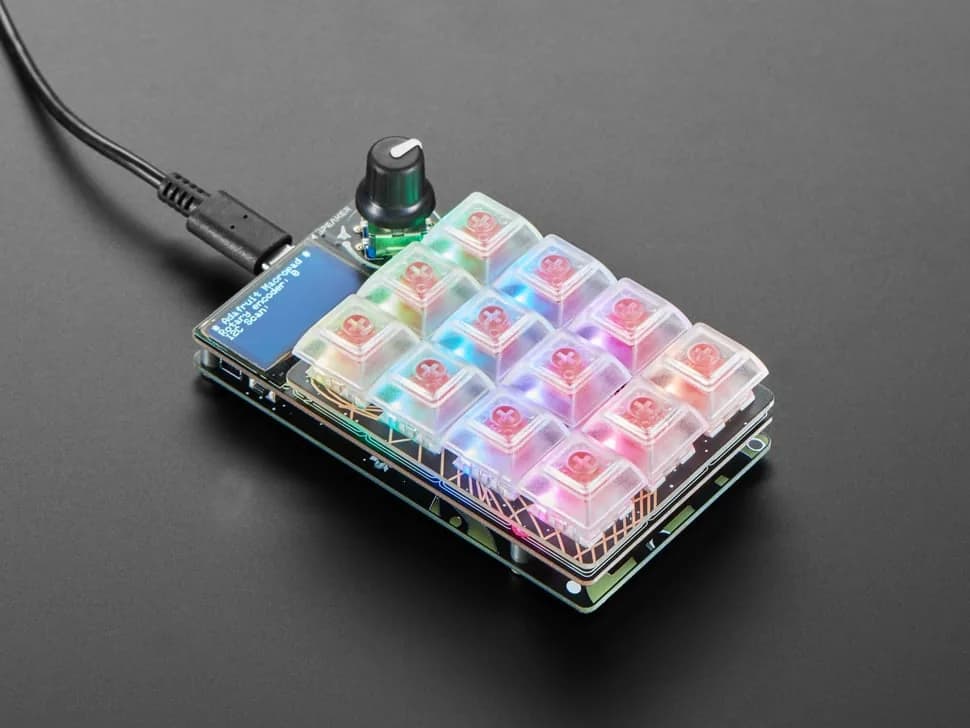
MacroPad RP2040
Programmable 3×4 mechanical-key macro pad with an RP2040, rotary encoder, OLED, RGB LEDs and speaker.
- Platform
- Raspberry Pi RP2040, CircuitPython/Arduino · Circuitpython
- Builds
- 01
Adafruit hardware in Flashable spans distinct interface patterns: Fruit Jam for integrated display-and-keyboard projects, Metro RP2350 for Arduino-shaped GPIO and HSTX video, MacroPad for USB hotkeys, PyPortal for self-contained Wi-Fi touch displays, CLUE for onboard sensing, Feather boards for compact connected or battery-powered prototypes, and Qualia S3 for large or unusually shaped RGB-666 panels. Qualia is a controller rather than a complete display and requires exact panel timings; Metro and Fruit Jam use a different HSTX video path. Choose the board around the physical interface first, then verify the exact product revision and project-specific accessories. Follow each device into original project sources, compatible firmware and practical guides.
8 entries
Programmable 3×4 mechanical-key macro pad with an RP2040, rotary encoder, OLED, RGB LEDs and speaker.

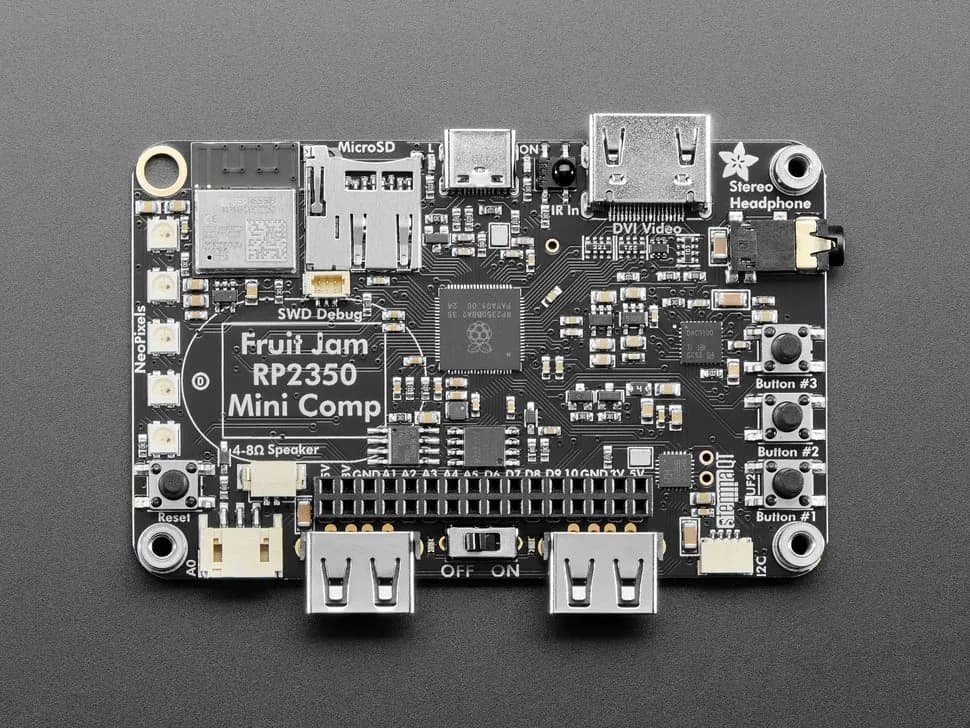
Credit-card-sized RP2350B computer board with DVI output, USB host, microSD, audio, Wi-Fi coprocessor and GPIO expansion.
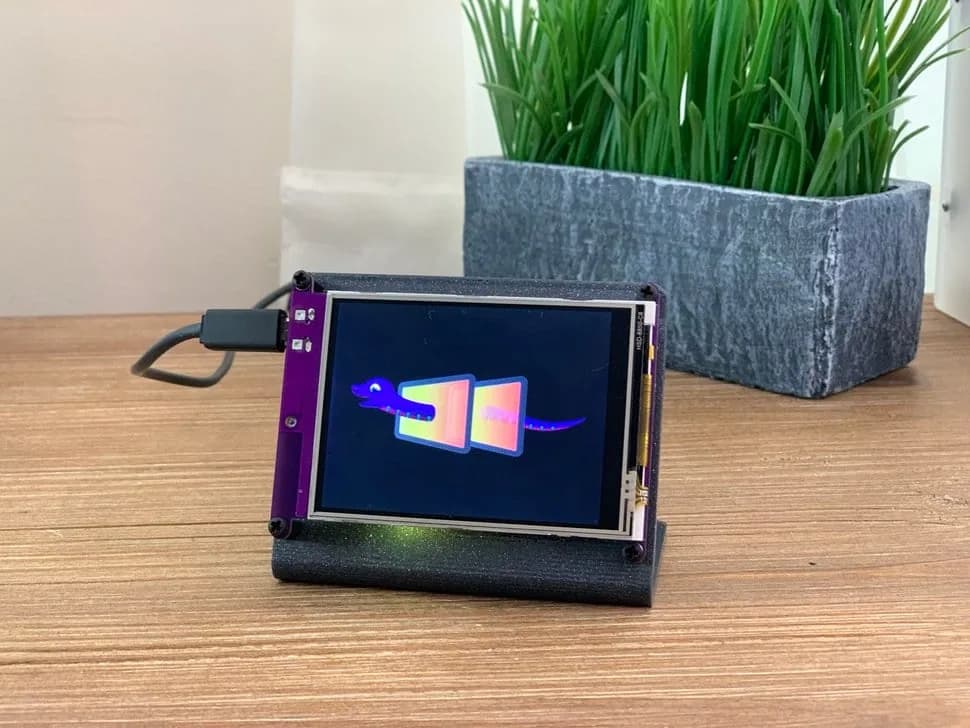
CircuitPython internet display with a 3.2-inch resistive touchscreen, SAMD51 controller and ESP32 Wi-Fi coprocessor.
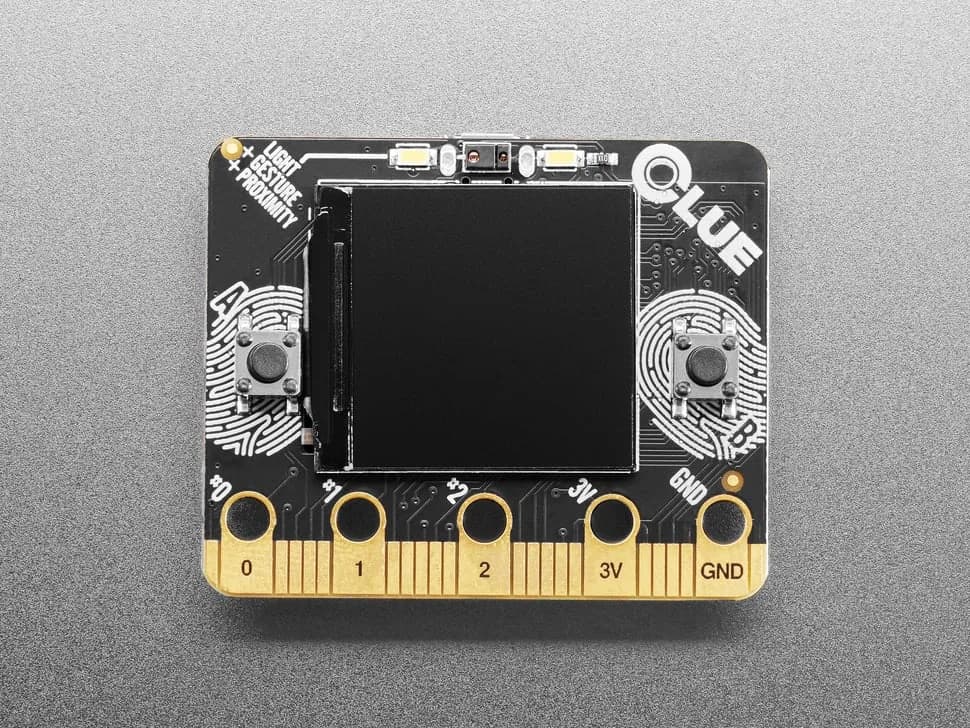
nRF52840 sensor board in a micro:bit-like shape with color display, motion, environmental, light, gesture and sound sensing.
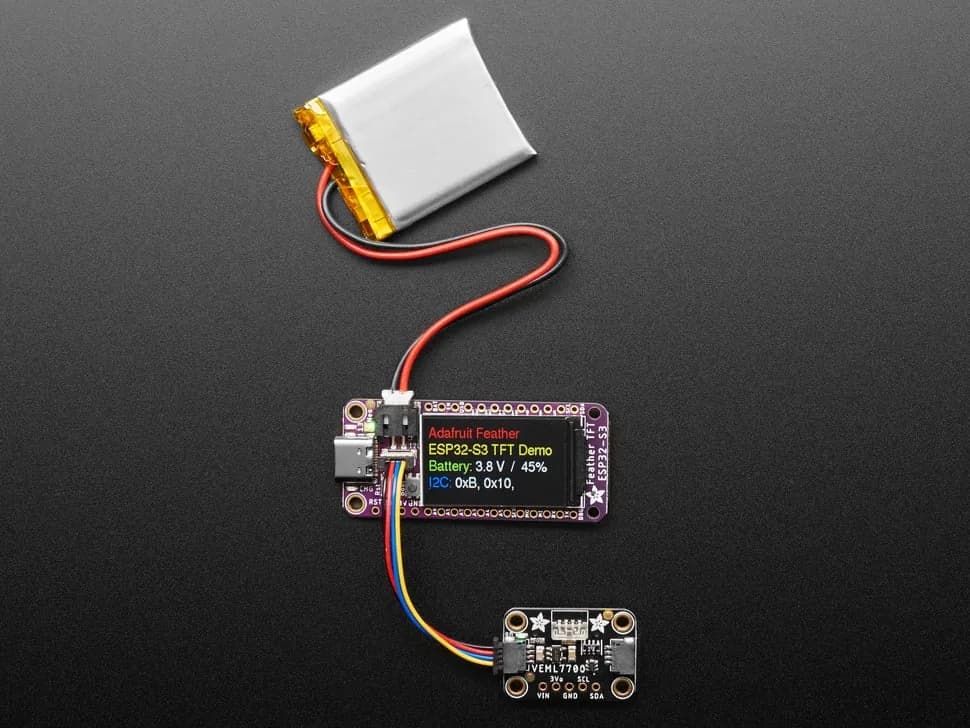
Feather-format ESP32-S3 board with built-in 1.14-inch color TFT, battery charging and STEMMA QT expansion.
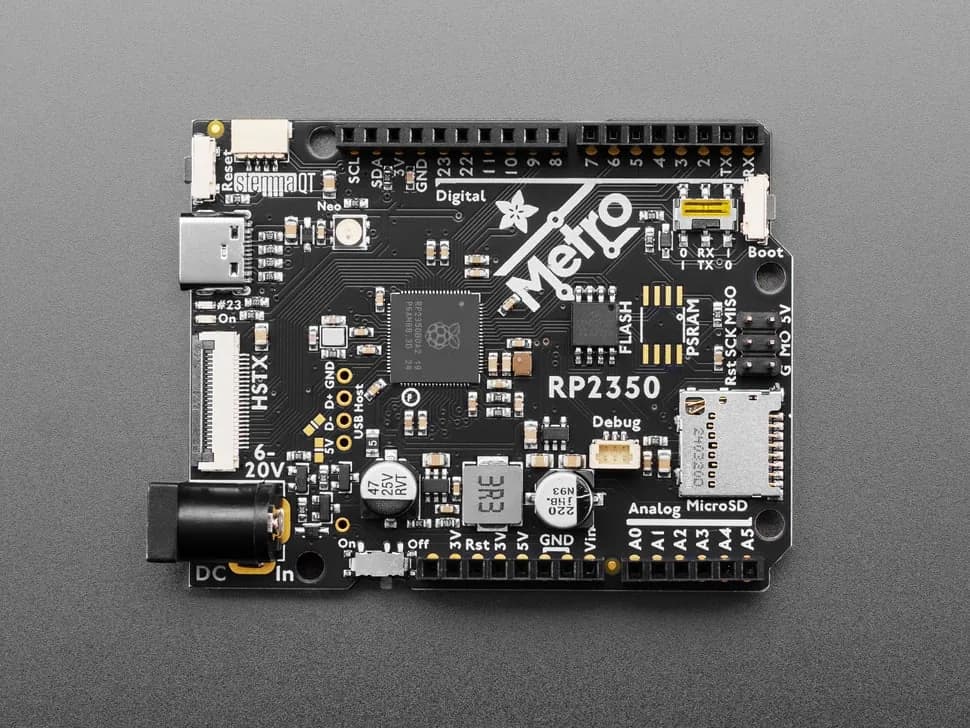
Arduino-shaped RP2350 development board with 16 MB flash, microSD, HSTX video, USB host pads, STEMMA QT and broad GPIO expansion.
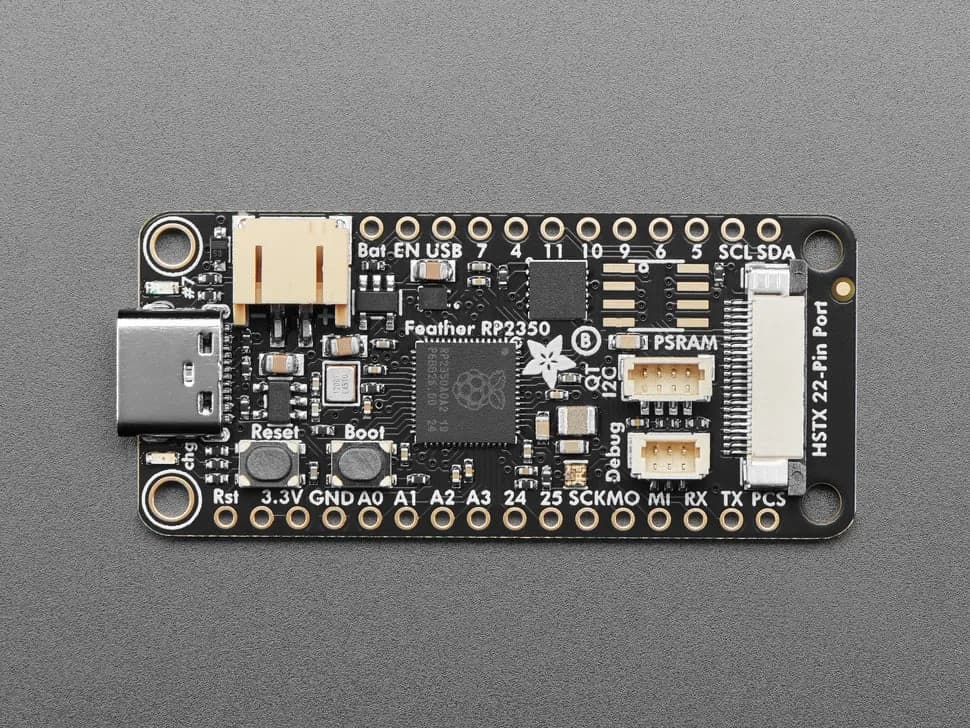
Feather-format RP2350 development board with an HSTX video connector, 8 MB flash, LiPo charging, STEMMA QT, USB-C and 29 accessible GPIO.
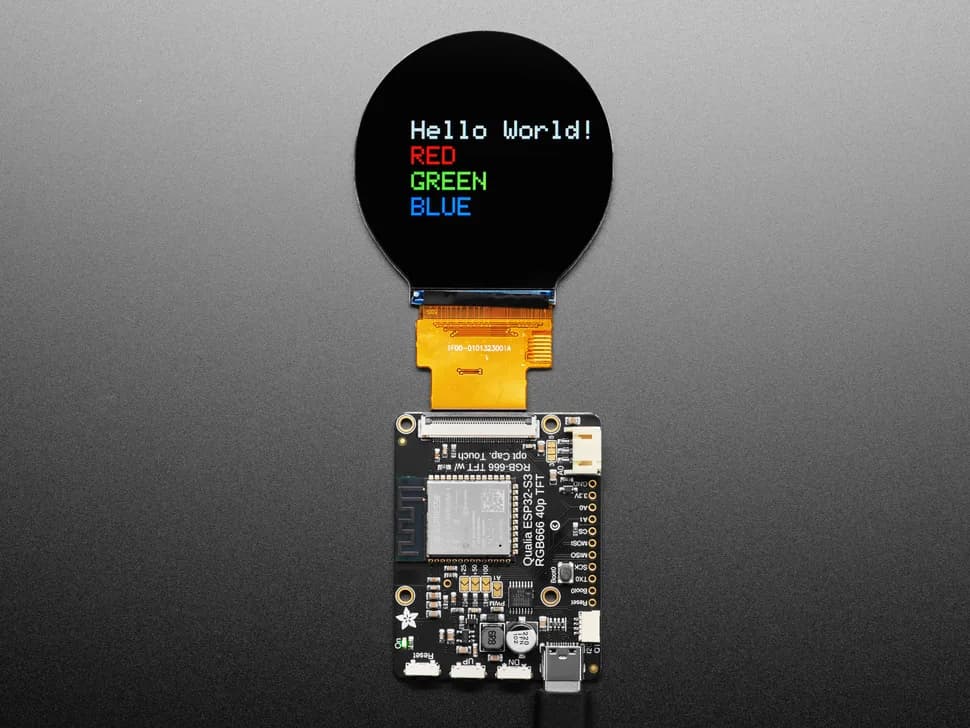
ESP32-S3 controller for compatible 40-pin RGB-666 TFT displays, with 16 MB flash, 8 MB PSRAM, touch I2C, backlight control, buttons, STEMMA QT and USB-C.
Run the three-level Quake II demo on an Adafruit Fruit Jam with HDMI video, USB gamepad input and microSD saves, with explicit pre-release and overclocking limits.
Flash a display-specific UF2 to turn a long RGB-666 bar screen into an animated desktop sushi conveyor, with an optional 3D-printed case.
Build a CircuitPython video synth that turns microphone audio into three live DVI animations controlled by knobs and a rotary encoder.
Flash the Fruit Jam-specific pico-infonesPlus v0.53 UF2 to run lawful NES and Famicom Disk System images from microSD.
Build the work-in-progress Cannonball engine port for Fruit Jam and run a legally owned OutRun revision B ROM set.
Flash ColecoJam 1.1 to run lawfully dumped ColecoVision BIOS and cartridge images on an Adafruit Fruit Jam.
Build a keyboard-controlled Breakout game with HSTX video and optional piezo sound on the Metro RP2350.
Flash six classic-style demoscene effects with tracker music, an animated launcher and button controls to Fruit Jam.
Record a sound through an I2S microphone, then play it at different pitches from a USB MIDI keyboard.
Flash Adafruit’s exact-board pico64 UF2 to run lawful Commodore 64 PRG files from a Fruit Jam microSD card.
Turn Fruit Jam into an SD-backed graphical launcher for a versioned bundle of RP2350 emulators and native game ports.
Flash Adafruit’s Fruit Jam-specific UF2 to run a single-game Space Invaders cabinet with DVI video, sampled audio and wired arcade controls.
Flash the Fruit Jam-specific retroJam UF2 to run legally acquired games from six classic systems from a microSD card.
Run version 3 Z-machine text adventures on Fruit Jam with CircuitPython, DVI video, USB keyboard input and named saves.
Host a small Markdown-backed wiki from a Fruit Jam and microSD card for use on a trusted local network.
Install Adafruit’s CircuitPython launcher, editor, built-in apps and games on the exact Fruit Jam board.
Assign per-application keyboard shortcuts, labels and encoder actions to the twelve-key MacroPad.
Fetch online weather data over Wi-Fi and present forecasts and conditions on the touch display.
Use the CLUE accelerometer and display to create a pocket digital bubble level.
Plot live readings from CLUE's onboard sensors directly on its color screen with CircuitPython.
Use Adafruit's first-party hardware guide to configure CircuitPython or Arduino and exercise the TFT, Wi-Fi and peripherals.
For the quickest connected dashboard, choose PyPortal; for a sensor-rich offline display, choose CLUE; for a compact Wi-Fi/Bluetooth project you will package yourself, choose Feather ESP32-S3 TFT. Install the board-specific CircuitPython build, copy only compatible libraries, render a static screen first, and add networking after the local loop is stable.
Install CircuitPython for the Adafruit MacroPad RP2040, copy the complete Hotkeys project bundle to CIRCUITPY, and keep only the sample profiles for your operating system. Turn the encoder to select a profile; it does not automatically follow the focused application. Start with three harmless keys, then customize the Python files in /macros while keeping a backup of the working bundle.