CircuitPython hotkey MacroPad
Assign per-application keyboard shortcuts, labels and encoder actions to the twelve-key MacroPad.
View original project ↗What you’re building
Adafruit’s MacroPad Hotkeys project turns the 12-key RP2040 MacroPad into a USB automation controller with per-application profiles. CircuitPython reads profile files from /macros, uses the rotary encoder to switch profiles, updates OLED labels and per-key RGB colors, and sends keyboard, consumer-control, mouse, text, timing, tone, or audio actions when keys are pressed. The expected result is a desktop-connected keypad whose visible layout and shortcuts change for applications such as creative tools or operating-system tasks. It requires the MacroPad-specific CircuitPython build, the project bundle’s code.py and libraries, and a known-good USB data cable. macOS and Windows use different modifier keys, so their sample profiles are not interchangeable. Copying a newer bundle can overwrite customized macro files; preserve personal configurations before updates and keep only profiles intended for the host operating system.
Key steps
- Enter the RP2040 bootloader by holding the encoder BOOT button while resetting, then copy the MacroPad CircuitPython UF2 to RPI-RP2.
- Download and unpack the Adafruit project bundle, then copy its contents to the new CIRCUITPY drive.
- Back up any existing custom profiles before replacing code.py, libraries, or the macros folder.
- Remove irrelevant mac- or win-prefixed sample profiles and edit a remaining profile’s name, colors, labels, and action sequences.
- Reconnect the MacroPad, rotate the encoder to select a profile, and test every key against the intended application.
Original project and code
Hardware for this project
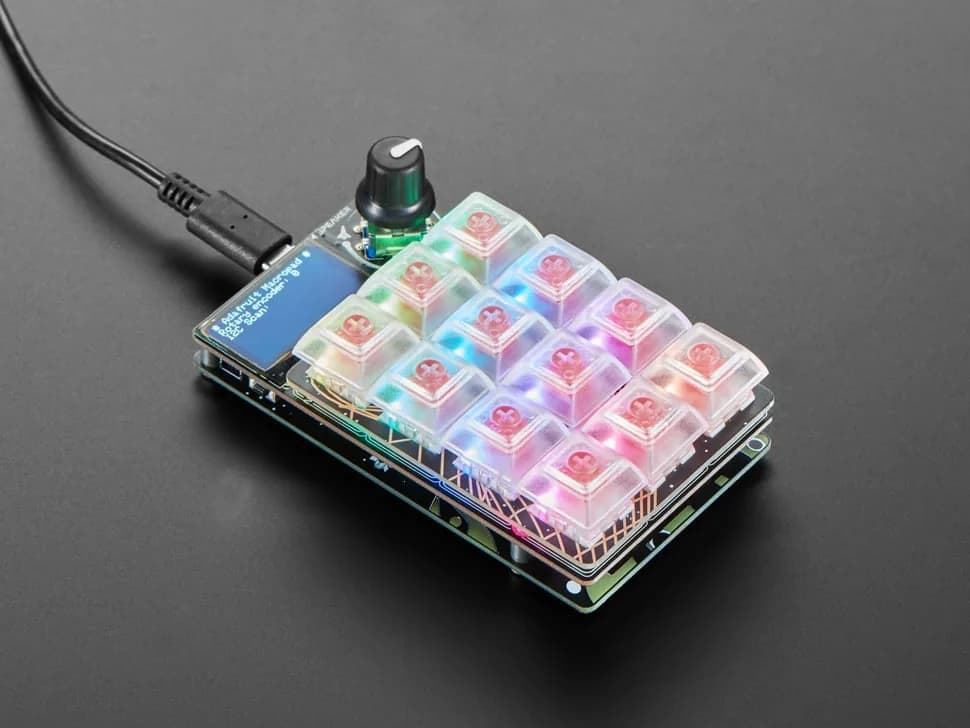
MacroPad RP2040
Programmable 3×4 mechanical-key macro pad with an RP2040, rotary encoder, OLED, RGB LEDs and speaker.
- Platform
- Raspberry Pi RP2040, CircuitPython/Arduino · Circuitpython
- Builds
- 01