CLUE spirit level
Use the CLUE accelerometer and display to create a pocket digital bubble level.
View original project ↗What you’re building
Adafruit’s CLUE Spirit Level is a compact CircuitPython demonstration that converts the board’s accelerometer readings into a digital bubble level on its 240-pixel display. The script draws three colored circular guides, places a red bubble in a separate display group, and repeatedly updates that group from the CLUE’s x and y acceleration values. Multiplying by ten spreads normal tilt readings across more of the display; reversing the sign makes the dot float opposite the tilt, like a physical bubble. The expected outcome is an immediately responsive visual level with no external sensor or wiring. It requires an Adafruit CLUE running a compatible CircuitPython release plus the project’s bundled adafruit_clue and display-shapes libraries. The important constraint is that this is an illustrative accelerometer visualization, not a calibrated construction instrument: mounting alignment, sensor offset, acceleration, and code scaling affect the indicated center and should be calibrated before any measurement-dependent use.
Key steps
- Install a compatible CircuitPython release on CLUE and confirm the CIRCUITPY drive mounts.
- Download the guide’s Project Bundle and open the examples directory matching the CircuitPython major version installed on the board.
- Copy that directory’s code.py and required lib contents to the CIRCUITPY drive.
- Allow the board to reload and verify that the concentric guide circles and moving red bubble appear on the built-in display.
- Tilt the CLUE in both axes, then calibrate the center or scaling in code if using it beyond the guide’s visual demonstration.
Original project and code
Hardware for this project
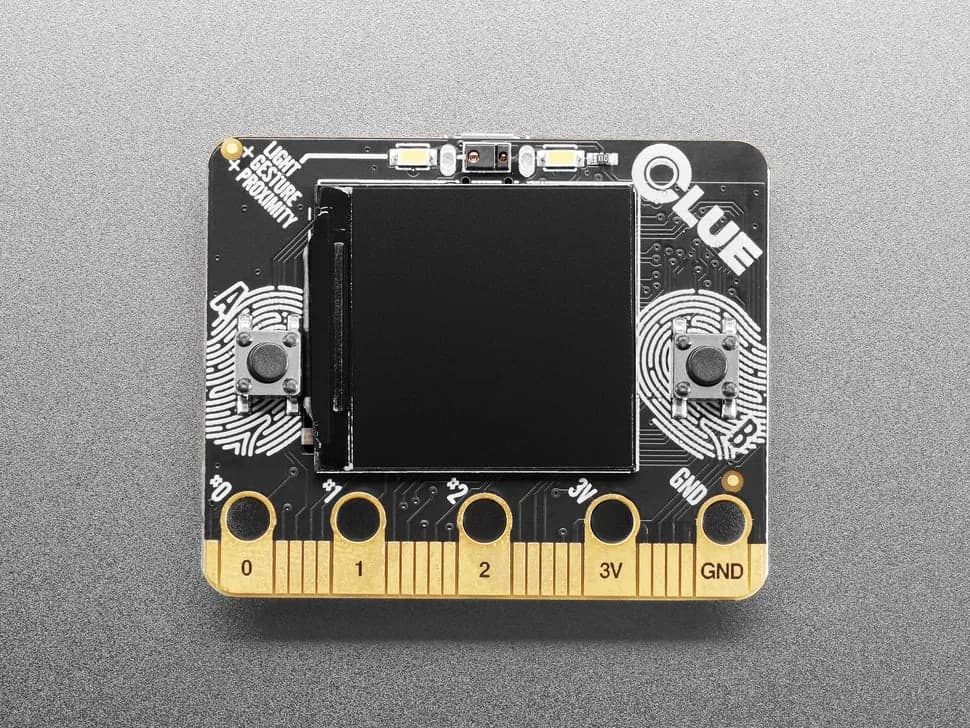
CLUE
nRF52840 sensor board in a micro:bit-like shape with color display, motion, environmental, light, gesture and sound sensing.
- Platform
- Nordic nRF52840, CircuitPython/Arduino · Circuitpython
- Builds
- 02