retroJam multi-console emulator
Flash the Fruit Jam-specific retroJam UF2 to run legally acquired games from six classic systems from a microSD card.
View original project ↗What you’re building
retroJam turns Adafruit Fruit Jam product 6200 into a launcher for Nintendo Entertainment System, Game Boy, Game Boy Color, Sega Master System, Game Gear and Sega Genesis software. Release v0.6 includes a precompiled Fruit Jam-specific UF2, while games and optional metadata packs live on a microSD card. The emulator accepts USB gamepads or a keyboard and uses the board’s DVI video output and audio hardware. Save states are supported for .nes, Master System and Game Gear games, but not for Famicom Disk System games. NES save-state support varies by mapper: the project expects it to work for mappers 0–4, while other mappers may or may not work. The v0.6 README calls Genesis sound quality average, while its release notes describe overall sound quality as poor and warn that SGDK games may have music but no sound effects. Famicom Disk System use needs a separate BIOS and has additional save and audio limitations. Supply only game and BIOS files you are entitled to use. Flashing the UF2 replaces the firmware currently on the board, so plan how to restore it if needed.
Key steps
- Back up firmware or files you need, download release v0.6, and select the exact retroJam_AdafruitFruitJam_arm_piousb.uf2 asset rather than a build for another board.
- Format a microSD card as FAT32, copy only legally acquired supported game files to it, and optionally arrange them in folders.
- Connect the Fruit Jam to the computer with a USB data cable, turn it on, hold BOOT/BUTTON1, press and release Reset, and keep holding BOOT until the RP2350 drive appears.
- Copy the Fruit Jam UF2 to the RP2350 drive, wait for the board to reboot, and confirm that the retroJam launcher starts on the connected display.
- Insert the microSD card, connect a supported controller or keyboard, launch a test file, and verify video, input and audio before adding a larger library.
- Treat save states and system compatibility as emulator-specific: NES save states are documented for common mappers, Genesis audio has known limits, and Famicom Disk System use requires a lawful BIOS at /bios/fds-bios.rom.
Original project and code
Hardware for this project
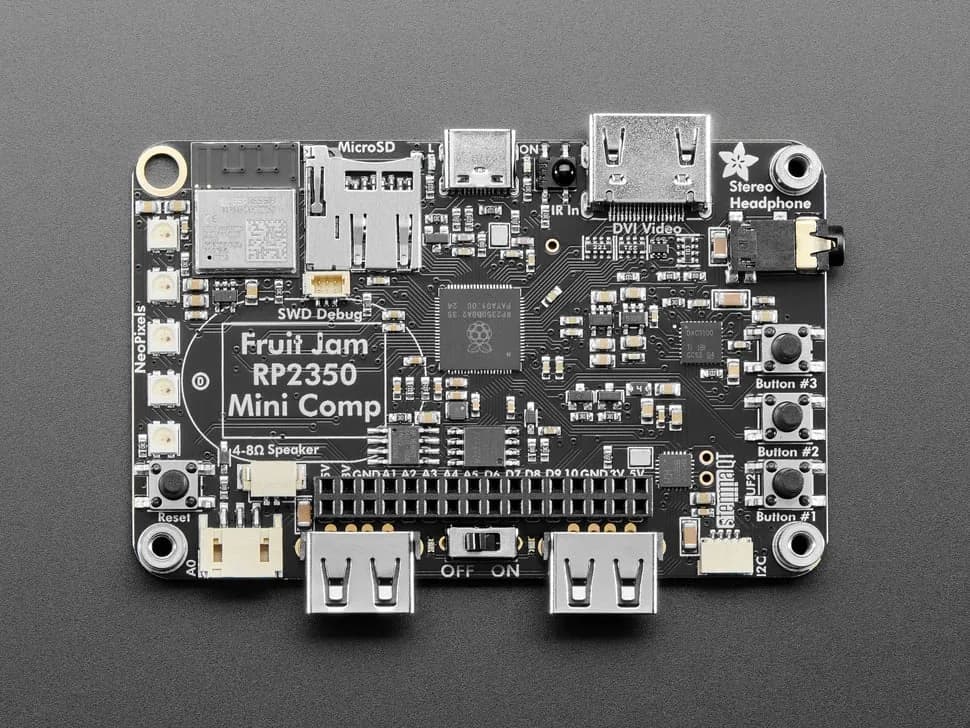
Fruit Jam
Credit-card-sized RP2350B computer board with DVI output, USB host, microSD, audio, Wi-Fi coprocessor and GPIO expansion.
- Platform
- Raspberry Pi RP2350B with ESP32-C6 connectivity coprocessor, CircuitPython/Arduino/Pico SDK · Circuitpython
- Builds
- 13