pico-outrun native arcade engine port
Build the work-in-progress Cannonball engine port for Fruit Jam and run a legally owned OutRun revision B ROM set.
View original project ↗What you’re building
pico-outrun is Frank Hoedemakers’ native RP2350 port of the Cannonball OutRun engine, with the Adafruit Fruit Jam as its primary development and test board. It drives video and audio over HDMI, supports the Fruit Jam speaker and NeoPixel VU meter, and accepts a USB gamepad or keyboard. The current source can run attract mode through a full race with music and effects, but there is no published release or prebuilt binary, performance does not yet hold full speed, audio is not fully clean, and high scores do not survive a restart. Building the exact Fruit Jam HW_CONFIG 8 target requires Linux or WSL, Pico SDK 2.x or newer, current TinyUSB master, Pico-PIO-USB and picotool. The default 378 MHz at 1.50 V is well above the RP2350’s specified 150 MHz clock. The source also exposes an optional 504 MHz at 1.70 V mode with an explicit damage warning. The project supplies no game data. Users must provide the extracted 31-file MAME outrun revision B parent set from a copy they legally own. The repository is source-available under Cannonball’s non-commercial licence, not an OSI-approved open-source licence.
Key steps
- Read the project’s status, overclock and licence sections first. Continue only if you accept that there is no release binary, the port is unfinished and its default 378 MHz clock exceeds the RP2350 specification. Do not select the optional 504 MHz at 1.70 V mode without accepting the project’s explicit damage warning.
- On Linux or WSL, install Pico SDK 2.x or newer, put picotool on PATH, update the SDK TinyUSB submodule to current master, clone Pico-PIO-USB and set PICO_PIO_USB_PATH.
- Clone pico-outrun at commit e65c9309749136e31d86671b368fd6d9c84a073b, initialize its recursive submodules, and run ./bld.sh -c8 -2 for the exact RP2350 Fruit Jam HW_CONFIG 8 target.
- Provide only a lawfully obtained, extracted 31-file MAME outrun revision B parent set. Either copy it to /roms/ORUN on a FAT32 or exFAT microSD card, or generate outrun-data.uf2 with the documented mkoutrundata tool after establishing the target flash address.
- Back up anything needed from the board. Enter BOOTSEL mode, flash the generated picoOutRun_AdafruitFruitJam_arm_piousb.uf2, and flash outrun-data.uf2 as a separate second image only if you chose the host-generated data route.
- Connect the display and a USB gamepad or keyboard, then verify attract mode, one full race, steering, acceleration, braking, gear changes, video and audio. Treat variable speed, imperfect audio, missing persistent high scores and absent save states as current limitations rather than setup faults.
Original project and code
Hardware for this project
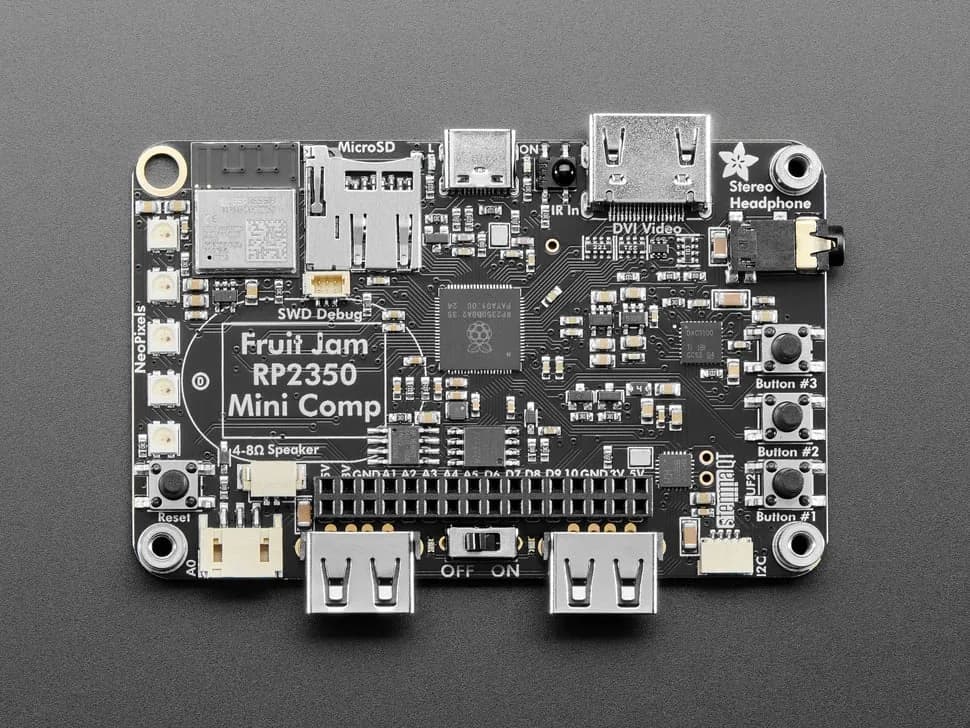
Fruit Jam
Credit-card-sized RP2350B computer board with DVI output, USB host, microSD, audio, Wi-Fi coprocessor and GPIO expansion.
- Platform
- Raspberry Pi RP2350B with ESP32-C6 connectivity coprocessor, CircuitPython/Arduino/Pico SDK · Circuitpython
- Builds
- 13