MCUME Commodore 64 emulator
Flash Adafruit’s exact-board pico64 UF2 to run lawful Commodore 64 PRG files from a Fruit Jam microSD card.
View original project ↗What you’re building
Adafruit’s MCUME fork turns the exact Fruit Jam product 6200 into a small Commodore 64 emulator with HSTX DVI video and USB-host keyboard input. Adafruit’s MCUME on Fruit Jam guide documents the exact-board path, which uses the pico64.uf2 asset from release 1.0.1, not one of the fork’s many binaries for other systems. After flashing, the emulator reads lawful .prg program files from a c64 directory on a FAT32 microSD card. The guide includes two tested C64 Scene Database examples and a browser tool for compiling your own BASIC source into a PRG. Keep compatibility expectations narrow: Adafruit says only its documented C64 and Game Boy builds are confirmed on Fruit Jam, and Jean-Marc Harvengt’s upstream MCUME project warns that only a few C64 games work. Flashing pico64.uf2 replaces the board’s current firmware. Back up files you need and keep a known restore path. Use only software you wrote, public-domain programs, or files you are otherwise entitled to run.
Key steps
- Back up any Fruit Jam firmware or files you need, open Adafruit MCUME release 1.0.1, and download the exact pico64.uf2 asset rather than an image for another emulator.
- Format a microSD card as FAT32, create a c64 directory at its root, and place only lawful .prg files in that directory before safely ejecting the card.
- Connect the Fruit Jam with a known USB data cable, hold BOOT/BUTTON1, press and release Reset, and continue holding BOOT until the RP2350 drive appears.
- Copy pico64.uf2 to RP2350 and wait for the board to reset. Do not disconnect it while the firmware copy is in progress.
- Power the board off, insert the prepared microSD card, connect the DVI display and USB keyboard, then power it on.
- Confirm that the emulator lists the c64 directory contents, use the arrow keys to highlight a small known-compatible PRG, and press Space or Tab to start it before testing other software; treat upstream’s limited-game-compatibility warning as the support boundary.
Original project and code
Hardware for this project
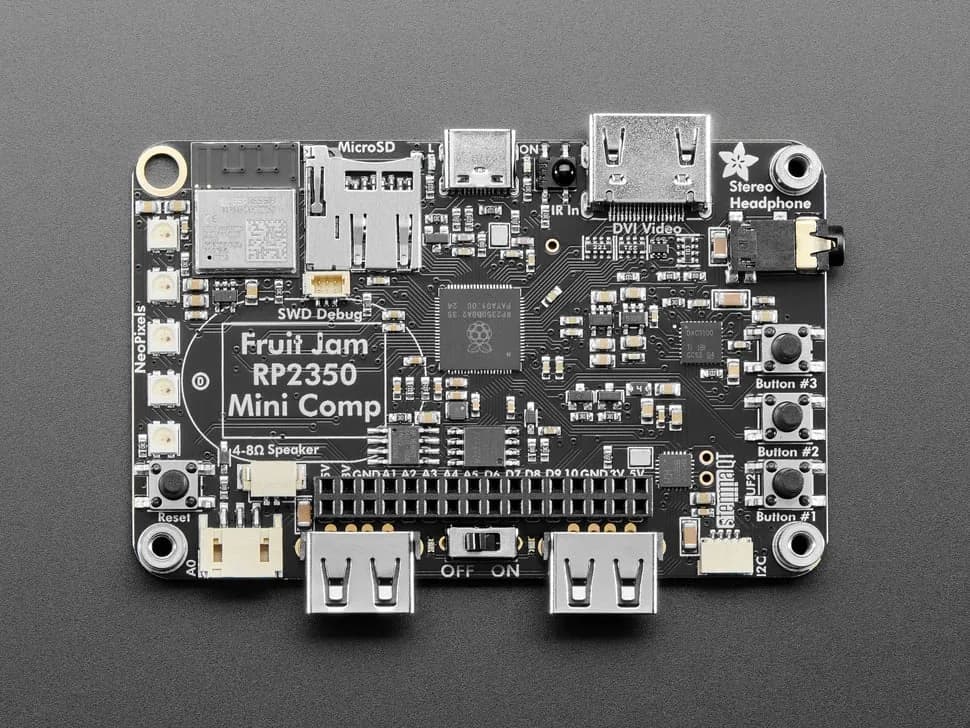
Fruit Jam
Credit-card-sized RP2350B computer board with DVI output, USB host, microSD, audio, Wi-Fi coprocessor and GPIO expansion.
- Platform
- Raspberry Pi RP2350B with ESP32-C6 connectivity coprocessor, CircuitPython/Arduino/Pico SDK · Circuitpython
- Builds
- 13