Who this is for
Makers who want local, infrastructure-independent text communication for lawful outdoor, event or resilience experiments.
Before you start
Have these basics ready before choosing parts or flashing firmware.
- Two compatible LoRa nodes are strongly recommended; one device cannot prove end-to-end messaging.
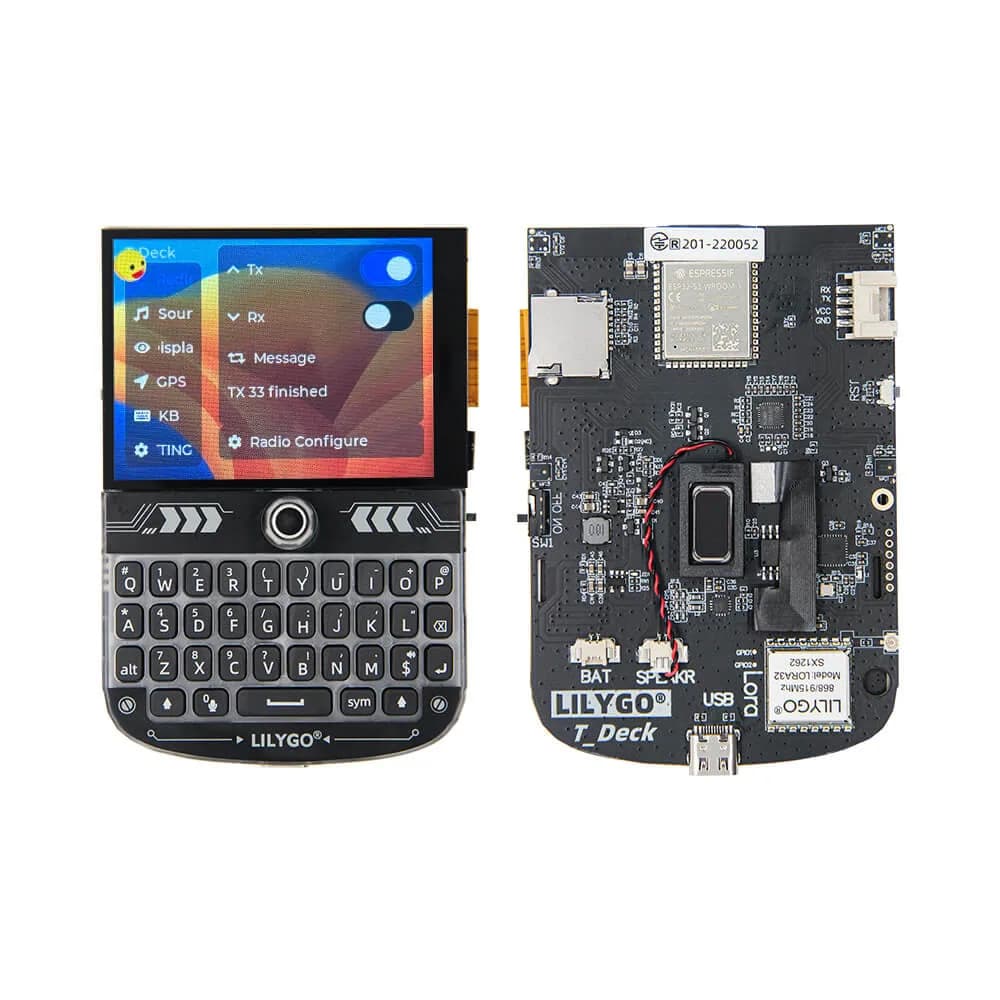
- A T-Deck with the correct regional radio, matching antenna, battery and USB data cable.
- A phone or computer for flashing and configuration, plus a legal test location.
Choose the network before flashing
Meshtastic: You want a large documented ecosystem, phone clients and broadly used mesh conventions.
MeshCore: You want a lightweight network centered on companion radios and are comfortable following project-specific setup.
Buy for your region
Select the LoRa band authorized in your country; common product variants are not interchangeable merely through a software setting. Confirm the SKU, antenna frequency, connector and whether the enclosure leaves adequate antenna clearance.
- Write the band on the device or case.
- Never power the transmitter without its antenna.
Prove the hardware first
Run the official T-Deck examples before loading mesh firmware. Verify keyboard, trackball, touch, display, GPS if fitted, audio and microSD separately so a hardware issue is not misdiagnosed as a network problem.
- Save serial logs from the first boot.
- Record the board revision and pin configuration.
Flash one supported firmware
Follow the selected project’s T-Deck target and release instructions exactly. Use a stable release for the first node, erase only when the documentation calls for it, and retain the flash log.
- Do not mix binaries from visually similar LILYGO boards.
- Configure region before attempting a radio test.
Configure identity and channels
Give each node a recognizable short name, then create a test channel or network shared only with your authorized group. Exchange keys through a trusted side channel and avoid posting private channel material publicly.
- Start with defaults for modem preset and hop behavior.
- Change one radio parameter at a time.
Test on the bench
Send messages in both directions at low separation before trying range. Confirm delivery indicators, sleep/wake behavior, keyboard mapping and battery reporting, then reboot both nodes and repeat.
- Timestamp a ten-message test sequence.
- Note missed, delayed and duplicate messages.
Run a controlled field test
Choose a lawful route with clear checkpoints and a fallback communication method. Increase separation gradually, log terrain and antenna orientation, and stop treating the system as reliable as soon as acknowledgements become inconsistent.
- Do not advertise emergency-grade reliability.
- Carry normal safety communications for remote trips.
Safety and legal notes
LoRa operation is regulated by national and regional rules covering frequency, power, bandwidth, duty cycle and sometimes encryption or identification. Configure the correct region, use a matched antenna, avoid interference and never rely on a hobby mesh as the sole emergency channel.
- Get permission before installing relays or repeaters on property.
- Do not transmit sensitive personal data unless you understand the project’s encryption and key handling.
- Respect parks, event and aviation-site restrictions during range tests.
Troubleshooting
No radio packets are received. Verify both nodes use the same legal region, channel settings, firmware family and compatible band; then inspect the antenna connection.
Keyboard or display does not respond. Confirm the exact T-Deck build target and board revision; return to official examples to isolate hardware.
Messages work nearby but not outdoors. Check antenna frequency and orientation, terrain, placement and legal power settings before changing modem presets.
Next steps
Keep the next experiment small and reproducible.
- Complete a two-node bench test.
- Document region, firmware, channel backup and recovery steps.
- Run one short field route with a phone or licensed radio as backup.