T-Deck examples
Manufacturer code samples for T-Deck's display, keyboard, trackball, LoRa, audio and power hardware.
View original project ↗What you’re building
LILYGO’s T-Deck repository packages manufacturer examples for the ESP32-S3 handheld’s keyboard controller, touchscreen, microphone, LoRaWAN, GPS shield, LVGL interface, and factory unit test. Developers can build selected examples with PlatformIO or install the bundled libraries into Arduino IDE. The normal outcome is one focused peripheral demonstration or the UnitTest hardware diagnostic, which helps verify the display, input, radio, audio, and related circuitry before larger projects. The source targets T-Deck, with separate notes for T-Deck Plus and its rounded-corner touch hardware. Compatibility is unusually version-sensitive: the README reports testing Arduino-ESP32 2.0.14 and warns that TFT_eSPI may fail above that version; it also documents a repository-specific ST7789 initialization sequence. Never flash the T-Deck Plus touch-repair binary to a rectangular-screen T-Deck, because the manufacturer warns that doing so can break touch operation.
Key steps
- Clone the T-Deck repository and choose one example, such as Keyboard_T_Deck_Master, Microphone, Touchpad, LoRaWAN_Starter, LVGL, GPSShield, or UnitTest.
- For PlatformIO, open the repository folder and edit platformio.ini so only the intended example line is enabled.
- Compile, connect the T-Deck by USB, upload the firmware, and open the serial monitor; upload filesystem assets separately when using the speaker demo.
- For Arduino IDE, install the ESP32 board package, copy each folder inside T-Deck/lib into the Arduino libraries directory, and select the documented ESP32-S3 settings.
- If normal upload fails, enter download mode by holding the trackball center while resetting, upload, then reset again; use only touch-fix firmware matching the exact screen variant.
Original project and code
Hardware for this project
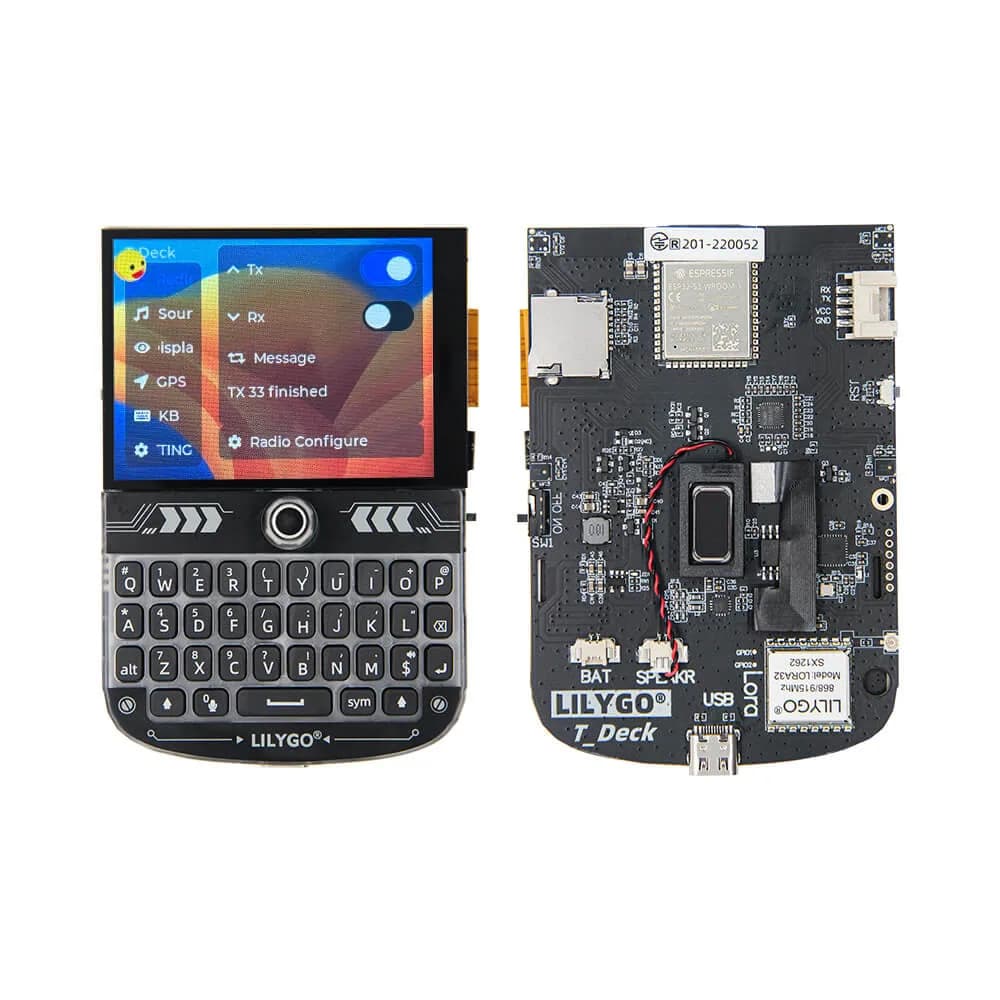
T-Deck
Pocket ESP32-S3 communicator platform with keyboard, trackball, 2.8-inch touchscreen, audio and optional LoRa radio.
- Platform
- Espressif ESP32-S3 with optional SX1262 LoRa
- Builds
- 05