Who this is for
New software-defined-radio users who want a practical, safety-first path from device setup to spectrum viewing and public-signal decoding.
Before you start
Have these basics ready before choosing parts or flashing firmware.
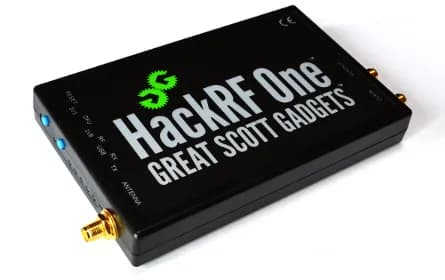
- A genuine or compatible HackRF One, shielded USB data cable and an antenna intended for the receive band.
- A computer or Raspberry Pi 5 with supported SDR software and enough storage for short captures.
- A local legal reference for spectrum reception, recording, privacy and transmission.
Progress by risk, not novelty
Spectrum viewing: You are learning center frequency, sample rate, gain and noise floor.
Public broadcast decoding: The signal is intended for reception and local law permits it, such as ADS-B in many jurisdictions.
Offline analysis of your own signal: You generated or captured it lawfully in a controlled setup.
Transmission: Only after confirming authorization, band plan, power, filtering and a safe test arrangement.
Install and identify the radio
Install libhackrf/HackRF tools from a trusted package or the official project instructions, connect directly by USB and run the device-information command. Record firmware and host-tool versions before updating anything.
- Use a short, shielded data cable.
- Do not update firmware merely because reception is noisy.
Use an antenna for the band
A wide tuning range does not make one antenna efficient everywhere. Choose a receive antenna designed for the target band, inspect connectors and place it away from the computer and noisy switching supplies.
- Never transmit into an absent or unsuitable load.
- Start with receive-only adapters and no amplifier.
Learn frequency, sample rate and gain
Tune to a known local broadcast or other lawful reference signal. Use the smallest sample rate that covers the signal plus context, increase gain gradually and distinguish a raised noise floor from a stronger signal.
- Change one gain stage at a time.
- Avoid clipping from strong nearby transmitters.
Make a short, documented capture
Record only enough I/Q data to reproduce the observation; files become large quickly. Name the file with center frequency, sample rate, gain, antenna and timestamp, and avoid retaining content you are not permitted to record.
- Check free disk space first.
- Keep an unmodified reference capture.
Decode a public broadcast
Where lawful, ADS-B is a clear first decoder because the project tooling and message format are widely documented. Use dump1090 with supported input, compare received aircraft against a second public source, and treat missing messages as normal reception limits rather than proof of absence.
- Do not publish sensitive receiver location without considering privacy.
- Do not use reception as a safety or navigation service.
Analyze your own OOK test signal
Use Universal Radio Hacker on a signal from your own authorized low-power device or a provided sample file. Inspect timing and modulation offline; do not replay third-party controls, alarms, access devices or rolling-code systems.
- Keep analysis and transmission physically separated.
- Document authorization and test equipment.
Safety and legal notes
Radio law varies by country: reception, demodulation, recording and disclosure can each be regulated, and the HackRF can transmit across frequencies where unlicensed operation is prohibited. This guide is receive-first and does not authorize interception, jamming, impersonation or transmission; consult your national regulator and band plan before any over-the-air test.
- Never interfere with emergency, aviation, navigation, cellular or safety-of-life services.
- Do not decode or disclose private communications.
- Use attenuators, filters and a shielded test setup when learning transmission under lawful authorization.
- PortaPack MAYHEM adds convenient transmit-capable features but does not change legal limits.
Troubleshooting
The host does not detect HackRF. Check cable, USB port, permissions and libhackrf installation; run the device-info tool before opening a GUI.
The waterfall is all noise or overloaded. Reduce gain, move away from digital noise, use a band-appropriate antenna and add filtering for strong nearby signals.
dump1090 shows no aircraft. Confirm local ADS-B frequency, antenna suitability, line of sight, input support and command parameters; do not compensate by transmitting.
Next steps
Keep the next experiment small and reproducible.
- Verify the device with HackRF tools.
- Observe one lawful reference signal without recording.
- Decode ADS-B or analyze a provided sample file, then write down the exact receive settings.