Universal Radio Hacker signal analysis
Capture, inspect, decode and generate digital radio signals in an authorized lab using HackRF as the RF front end.
View original project ↗What you’re building
Universal Radio Hacker (URH) is a desktop suite for investigating digital wireless protocols with native support for many software-defined radios, including HackRF. It can record IQ data, estimate modulation parameters, demodulate a signal into bits, apply configurable decoding chains such as whitening, label protocol fields, compare message types, and later simulate or fuzz protocols. For this build, HackRF One supplies the 1 MHz–6 GHz half-duplex RF front end while URH runs on Windows, Linux, or macOS. The expected outcome is a reproducible analysis of an OOK transmission captured from equipment you own or are authorized to test—not an automatic universal decoder. Correct center frequency, sample rate, gain, noise threshold, and symbol timing still require measurement and validation. Transmit, replay, fuzzing, and interception can be regulated or harmful; begin receive-only in a shielded or authorized lab and follow local spectrum and privacy law.
Key steps
- Install URH using the platform-specific release, pipx on Linux, or Homebrew on macOS, and install any required HackRF access rules or drivers.
- Connect HackRF with an appropriate antenna or shielded test path and keep the initial workflow receive-only.
- Create a recording in URH at the known authorized transmitter frequency and adjust sample rate and gain to avoid clipping.
- Mark a clean burst, select OOK/ASK demodulation, and tune noise threshold and symbol timing until repeated frames produce stable bits.
- Apply and document any inversion, Manchester, whitening, or other decoding steps, then label repeating fields across messages.
- Validate the inferred format with additional lawful captures before considering any controlled simulation or transmission.
Original project and code
Hardware for this project
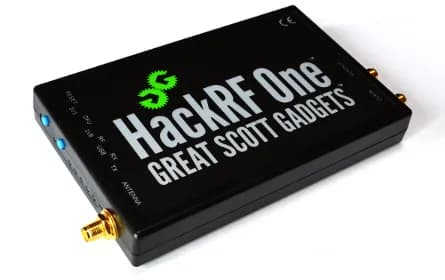
HackRF One
Open-source USB software-defined radio peripheral for half-duplex transmission or reception from 1 MHz to 6 GHz.
- Platform
- LPC4320 Cortex-M4/M0 with MAX2837/RFFC5072 RF chain, libhackrf/GNU Radio
- Builds
- 03