TinyML keyword spotting on XIAO ESP32S3 Sense
Train and deploy an audio keyword-spotting model that runs from the board's built-in microphone.
View original project ↗What you’re building
Seeed’s tutorial builds an offline keyword-spotting model for the XIAO ESP32S3 Sense using its expansion board’s PDM microphone and Edge Impulse. Audio is recorded as 16 kHz, 16-bit WAV files to a FAT32 microSD card, divided into one-second labeled samples, transformed into MFCC features, and used to train a small convolutional classifier. Edge Impulse exports a quantized Int8 Arduino library that runs inference on the ESP32-S3; the sample outcome lights the onboard LED when the trained “hello” class is detected. Required hardware includes the Sense expansion board, a data-capable USB-C cable, and a microSD card no larger than 32 GB. The documented optimized deployment is explicitly non-EON and requires the cited preliminary ESP-NN replacement; label order and generated library name must also be updated in the example sketch.
Key steps
- Attach the Sense expansion board, format a microSD card of 32 GB or less as FAT32, and enable OPI PSRAM.
- Upload the matching ESP32-core WAV recorder and capture spaced examples for each keyword plus noise or unknown classes.
- Upload recordings to Edge Impulse, split the ten-second files into one-second labeled samples, and retain a train/test split.
- Create a one-second impulse with MFCC processing and a Keras classifier, then generate features and train the model.
- Build a quantized Int8 Arduino Library with EON disabled and apply the documented ESP-NN replacement.
- Install the generated ZIP library, update its include and label mapping in the inference sketch, upload, and test live keywords.
Original project and code
Hardware for this project
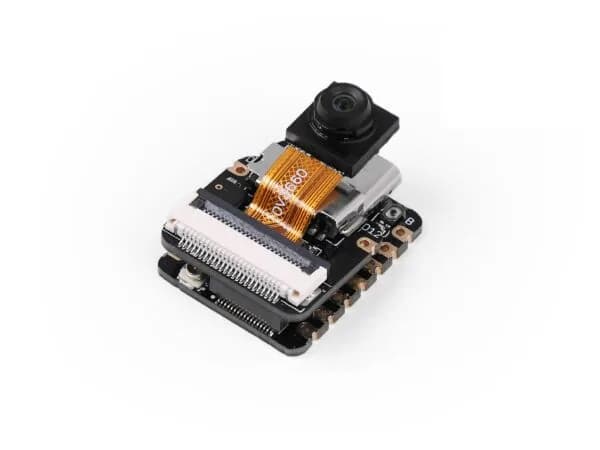
XIAO ESP32S3 Sense
Thumb-sized ESP32-S3 board bundled with an OV2640 camera, digital microphone and microSD support for vision and audio projects.
- Platform
- Espressif ESP32-S3, Arduino/ESP-IDF/CircuitPython
- Builds
- 04