XIAO host for SSCMA-Micro sensors
Use a XIAO ESP32S3 Sense as an Arduino host for a separate SSCMA-Micro-compatible vision sensor and read structured inference results.
View original project ↗What you’re building
Seeed_Arduino_SSCMA is an Arduino host library for communicating with sensors that already run Seeed’s SSCMA-Micro firmware. A sketch initializes an SSCMA client, invokes inference on the connected sensor, and reads structured performance, bounding-box, classification, or point results through the library interface. An Arduino-compatible XIAO ESP32S3 Sense can serve as the host when wired and configured for a compatible SSCMA-Micro sensor, producing serial output that reports model results. This source does not turn the XIAO’s bundled OV2640 camera into an SSCMA inference target, and it does not provide a model-training pipeline. A separate compatible SSCMA-Micro sensor or vision module, with suitable firmware and connection, is therefore required. The useful outcome is a compact host that can consume on-sensor inference results without pretending the XIAO camera itself runs the referenced examples.
Key steps
- Confirm that the intended sensor runs SSCMA-Micro firmware and that the XIAO can use the required connection as an Arduino host.
- Download the library and add its ZIP through Arduino IDE’s Include Library workflow.
- Include Seeed_Arduino_SSCMA.h, create an SSCMA instance, and call begin() during setup.
- Invoke inference in the loop and inspect perf(), boxes(), classes(), or points() only after a successful invoke call.
- Upload the sketch and verify the sensor’s inference results through the serial monitor.
Original project and code
Hardware for this project
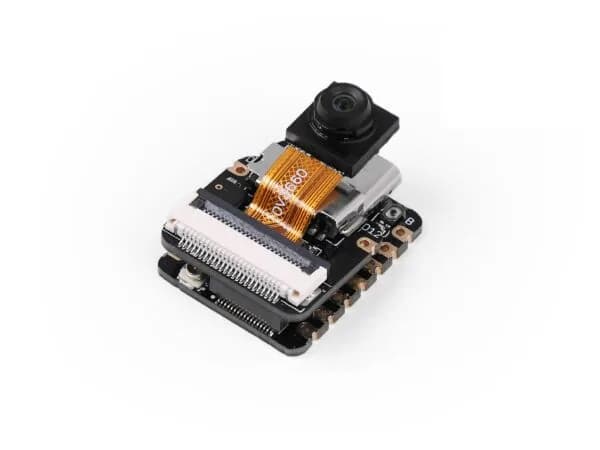
XIAO ESP32S3 Sense
Thumb-sized ESP32-S3 board bundled with an OV2640 camera, digital microphone and microSD support for vision and audio projects.
- Platform
- Espressif ESP32-S3, Arduino/ESP-IDF/CircuitPython
- Builds
- 04