Browser-assisted face detection camera
Stream XIAO ESP32S3 Sense video to a browser, run MediaPipe face detection there, and emit structured detections over serial.
View original project ↗What you’re building
FaceDetectCamera turns the XIAO ESP32S3 Sense into a Wi-Fi camera whose live view is analyzed for faces in a connected browser. The board serves the camera stream, while MediaPipe runs client-side and returns detected positions, confidence scores, timestamps, and 64-by-64 JPEG thumbnails as JSON over the board’s 115200-baud serial output. Initial configuration uses the project’s Camera-Setup access point and browser form, then the board reboots onto the selected local network. The source requires XIAO ESP32S3 Sense, Arduino IDE with ESP32 board package 3.x, the XIAO ESP32S3 board target with OPI PSRAM enabled, and a same-network browser. Internet is needed when the browser first loads MediaPipe from jsDelivr. This is face detection, not identity recognition; the sketch source is Japanese-only, and its /face handler caps HTTP request bodies at 8,192 bytes, so payloads from more than roughly three or four detected faces can be truncated before serial output.
Key steps
- Open the repository’s FaceDetectCamera sketch in Arduino IDE, install an ESP32 board package 3.x, select the XIAO ESP32S3 board target, enable OPI PSRAM, and upload over USB.
- Open the serial monitor at 115200 baud and confirm that the Camera-Setup access point and configuration address are reported.
- Join Camera-Setup with the documented setup password, open http://192.168.4.1/, enter the target Wi-Fi credentials and a 1-to-300-second transmission interval, then save and reboot.
- After reboot, find the board’s local address in the router or DHCP client list, open it from a browser on the same network, and select Start to load MediaPipe and begin the camera stream.
- Observe bounding boxes in the browser and validate the face count, normalized coordinates, confidence, timestamp, and thumbnail data in the serial JSON output; keep the request below the 8,192-byte /face cap and do not use it for identification or covert monitoring.
Original project and code
Original project pages, manufacturer documentation and repositories used while preparing this page. Last reviewed .
Hardware for this project
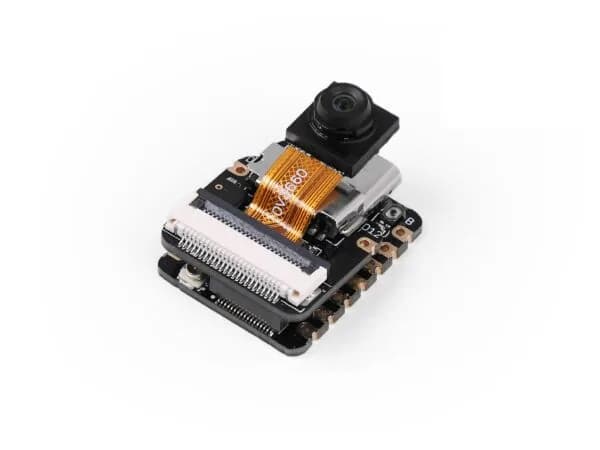
XIAO ESP32S3 Sense
Thumb-sized ESP32-S3 board bundled with an OV2640 camera, digital microphone and microSD support for vision and audio projects.
- Platform
- Espressif ESP32-S3, Arduino/ESP-IDF/CircuitPython
- Builds
- 04