Wio Terminal Arduino examples
Seeed's sketch collection demonstrates displays, sensors, wireless networking and Grove accessories on Wio-class boards.
View original project ↗What you’re building
Seeed_Arduino_Sketchbook is a manufacturer-maintained Arduino sketch collection containing numerous Wio Terminal projects rather than one monolithic demo. Wio-specific folders cover the LCD and controls, backlight, accelerometer-based attitude and level displays, USB HID, Wi-Fi services such as NTP and HTTPS, audio, PC statistics, Grove accessories, and a sequence of TinyML examples. The intended hardware is Seeed’s ATSAMD51-based Wio Terminal, with additional libraries or peripherals varying by sketch. Opening and uploading one folder produces that example’s specific behavior, such as an on-screen level, media controller, clock-synchronized display, or inference demo. The repository README provides almost no setup guidance, so each example’s own source and linked Seeed documentation remain authoritative. Do not install every dependency indiscriminately or assume every folder works without credentials, cloud accounts, models, Grove modules, or the RTL8720 wireless firmware required by that example.
Key steps
- Browse the repository’s examples directory and select one WioTerminal_* project with hardware requirements you can satisfy.
- Open the chosen .ino sketch and inspect its includes, comments, credential placeholders, and peripheral assumptions.
- Install Seeed’s Wio Terminal board support and only the libraries named by that example.
- Connect the Wio Terminal, select its board and serial port in Arduino IDE, then compile the sketch.
- Upload and verify the example-specific display, sensor, wireless, HID, audio, or TinyML behavior.
Original project and code
Hardware for this project
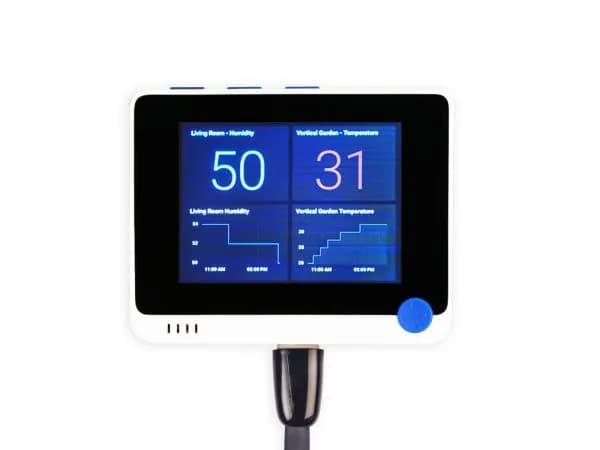
Wio Terminal
ATSAMD51 all-in-one development terminal with a 2.4-inch LCD, controls, sensors, wireless networking and Grove expansion.
- Platform
- Microchip ATSAMD51P19 plus Realtek RTL8720DN wireless coprocessor · Arduino
- Builds
- 01