Cardputer factory user demo
Manufacturer reference firmware demonstrating Cardputer's keyboard, display, audio, storage and wireless hardware.
View original project ↗What you’re building
M5Stack’s Cardputer UserDemo is the manufacturer’s ESP-IDF reference firmware for evaluating the original M5Cardputer hardware. The repository includes hardware-abstraction code for the keyboard, display, speaker, microphone, microSD card, battery reading, infrared, Wi-Fi, ESP-NOW, BLE and USB keyboard behavior, plus launcher applications such as Wi-Fi scan, timer, text editor, recorder, keyboard, infrared, chat, and a PikaPython REPL. Building it for the Cardputer produces a menu-driven factory-style demonstration that is useful for checking peripherals and studying M5Stack’s reference implementation. The documented toolchain is ESP-IDF 4.4.6 and the build command is idf.py build. A major compatibility constraint is model-specific: Cardputer ADV users are told to use the separate CardputerADV branch, while the default branch targets the earlier Cardputer. The README documents compilation but not a complete flashing walkthrough, so ESP-IDF’s generated flash instructions must be followed.
Key steps
- Confirm the device model; switch to the CardputerADV branch instead of main when using Cardputer ADV.
- Install and activate ESP-IDF v4.4.6, the toolchain version named by the repository.
- Clone M5Cardputer-UserDemo and enter the repository directory.
- Run idf.py build and resolve the serial port using the ESP-IDF environment.
- Use the flash command emitted by ESP-IDF for the connected Cardputer, reboot, and exercise the launcher apps to verify keyboard, display, audio, storage, wireless, and infrared functions.
Original project and code
Hardware for this project
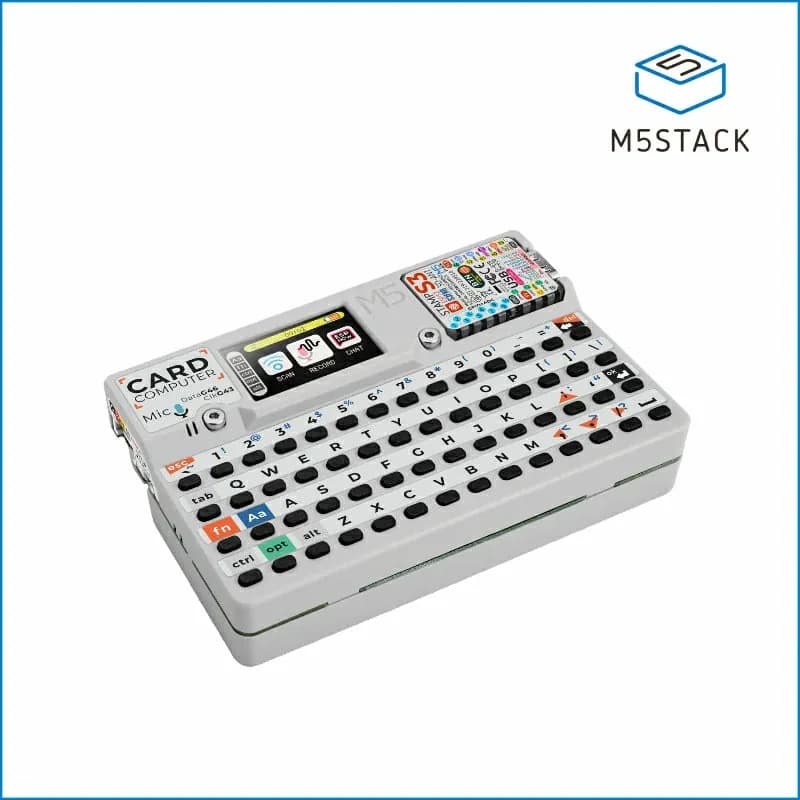
Cardputer
Pocket ESP32-S3 computer with a 56-key keyboard, 1.14-inch display, audio, infrared, microSD and expansion access.
- Platform
- Espressif ESP32-S3 (StampS3), Arduino/ESP-IDF/UIFlow
- Builds
- 07