BirdNET-Pi acoustic bird monitor
Continuously identify nearby bird calls from a microphone and publish detections through a local web interface.
View original project ↗What you’re building
BirdNET-Pi continuously records audio from a USB microphone or sound card, runs BirdNET-based machine-learning classification, extracts likely bird clips, and publishes detections, trends, a live stream, spectrogram, logs, and administration tools through a local web interface. The original source supports Raspberry Pi 4B, 400, 3B+, and Zero 2 W with 64-bit Raspberry Pi OS; the lower-powered 3B+ and Zero 2 W require the Lite image. The expected outcome is a 24/7 acoustic bird-monitoring station reachable at birdnetpi.local, with optional BirdWeather sharing and automatic disk-space management. Two constraints materially change the editorial framing: the mcguirepr89 repository now declares itself deprecated and directs new installations to Nachtzuster’s maintained fork, and its license prohibits use to develop a commercial product. It also does not support installation on top of other server stacks, so a dedicated OS deployment is the documented path.
Key steps
- Start from a supported Raspberry Pi and a fresh 64-bit Raspberry Pi OS image; use the Lite image for a Pi 3B+ or Zero 2 W.
- Attach and confirm the USB microphone or sound card before installation.
- Follow the original README’s direction to the actively maintained Nachtzuster fork and run that fork’s newinstaller.sh on the dedicated system.
- After installation, open birdnetpi.local or the Pi’s address, immediately configure the initially empty web password in Tools > Settings > Advanced Settings, and verify live audio.
- Confirm detections, clips, spectrogram, and disk management, then configure species/location settings and optional BirdWeather sharing while respecting the non-commercial license.
Original project and code
Hardware for this project
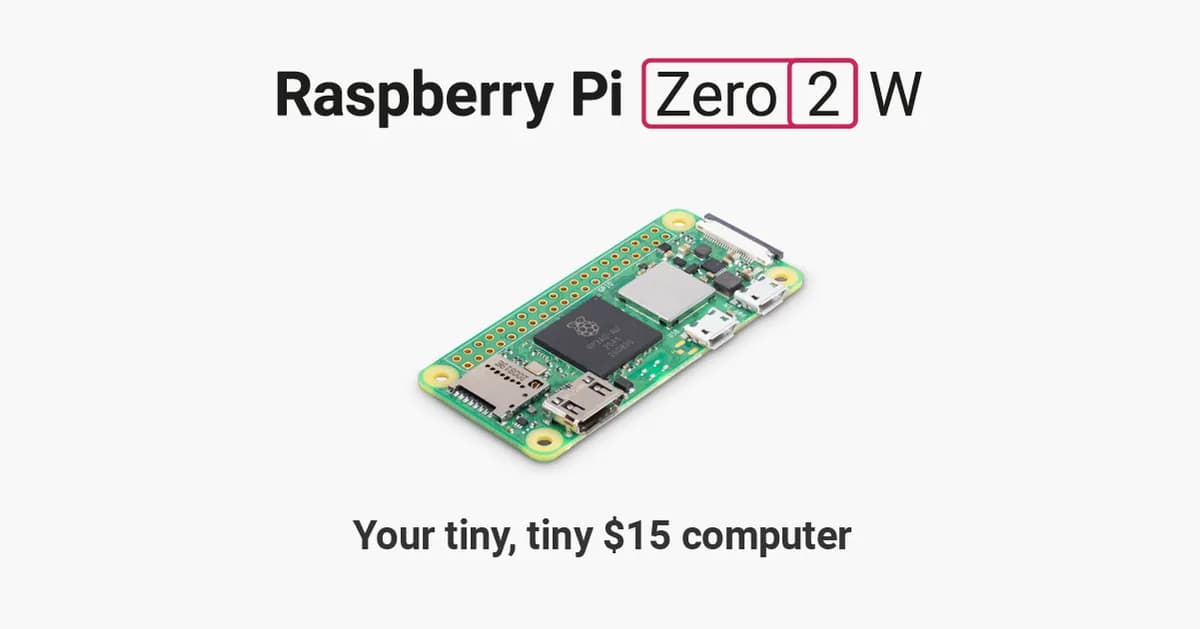
Raspberry Pi Zero 2 W
Compact Linux board with a quad-core Cortex-A53 processor, 512 MB RAM, Wi-Fi, Bluetooth and camera connectivity.
- Platform
- Raspberry Pi RP3A0 quad-core Arm Cortex-A53, Raspberry Pi OS/Linux · Linux
- Builds
- 07