Arduboy2 game framework examples
Use the core community library, templates and examples to create compact games for Arduboy hardware.
View original project ↗What you’re building
Arduboy2 is the maintained core Arduino library for writing games and demos that use Arduboy’s display, buttons, RGB LED, speaker control, sprites, collision helpers, compressed bitmaps, and system settings. It targets Arduino-based Arduboy hardware, including Arduboy FX-class devices, and coexists with the older Arduboy library because it uses a distinct class name. Installing it through Arduino Library Manager exposes example sketches and a standard API: create an Arduboy2 object, call begin() in setup(), then draw, read buttons, and update frames in the game loop. The expected outcome is a compiled sketch running directly on the handheld. ATmega32U4 flash and RAM remain tight, so the library documents smaller alternatives such as Arduboy2Base, SpritesB, and selective boot features. Never use EEPROM below EEPROM_STORAGE_SPACE_START, because Arduboy2 reserves that area for system audio and unit settings.
Key steps
- Open Arduino Library Manager, search for Arduboy2, and install the maintained library.
- Load an included sketch from File > Examples > Arduboy2 and compile it for the connected Arduboy-compatible board.
- For a new game, include Arduboy2.h, create an Arduboy2 object, and call arduboy.begin() in setup().
- Implement frame timing, button handling, drawing, display updates, and optional audio using the library API and examples.
- Keep save data at or above EEPROM_STORAGE_SPACE_START and reduce features if the ATmega32U4 build exceeds memory.
- Upload by USB and verify controls, display, sound mute behavior, and reliable return to the bootloader.
Original project and code
Hardware for this project
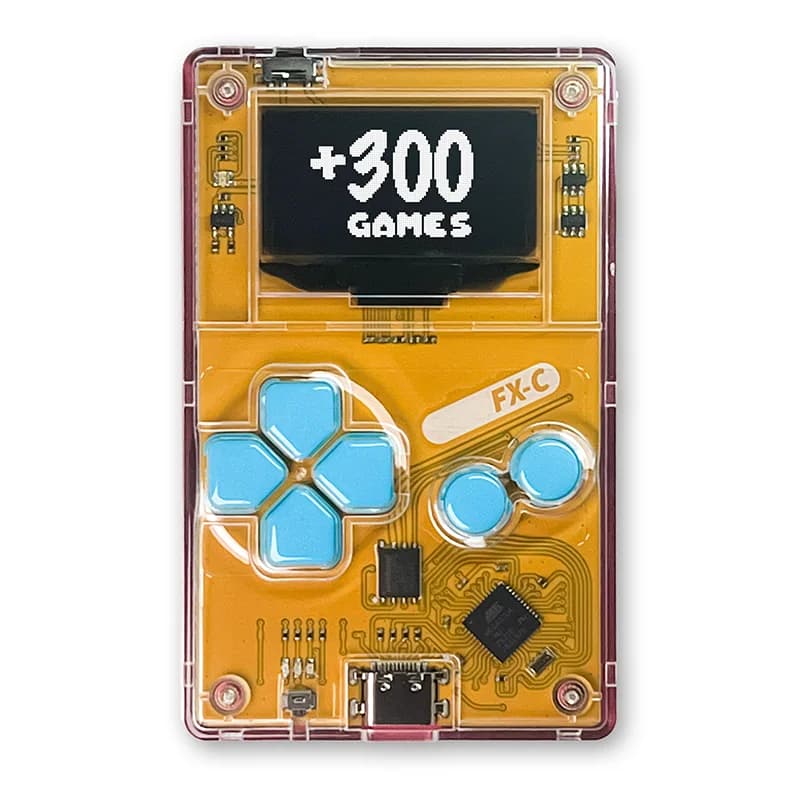
Arduboy FX-C
Credit-card-sized 8-bit Arduino-compatible game system with monochrome OLED, controls and flash storage for homebrew games.
- Platform
- Microchip ATmega32U4, Arduino · Arduino
- Builds
- 01