UPiCo RP2040 expansion card
Open hardware project adds an RP2040-based expansion card to uConsole for programmable I/O and custom peripherals.
View original project ↗What you’re building
uPico is an open-hardware RP2040 expansion card for ClockworkPi uConsole. It adds internal-speaker support, a switched and overcurrent-protected USB 2.0 Type-C port, switched 3.3-volt and 5-volt external power outputs, a controllable LED, and a double PMOD-compatible RP2040 I/O connector. A Linux control application and systemd service let the uConsole manage the card and install RP2040 firmware; the repository demonstrates this with a pico-blink image. The expected outcome is a programmable expansion controller inside the handheld rather than a replacement compute core. The central compatibility constraint is explicit: the control application currently supports only R-01 and CM4 cores, while A04 and A06 support remains work in progress. Hardware revision also matters—CM4 with uPico PCB revision 0x02 lacks overcurrent reporting—so board revision, pinout, and power behavior must be checked before connecting external loads or custom PMOD hardware.
Key steps
- Confirm that the uConsole uses a supported CM4 or R-01 core and identify the uPico PCB revision before installation.
- Install the card in the uConsole according to its hardware orientation and schematics, with power disconnected while seating the expansion hardware.
- Download the release archive matching the compute core, extract it, and run the included install.sh with sudo.
- Run upico help to confirm the control application and service are available.
- Test RP2040 firmware installation with the repository’s pico-blink download and upico install command, then validate switched USB/power outputs before attaching higher-risk external hardware.
Original project and code
Hardware for this project
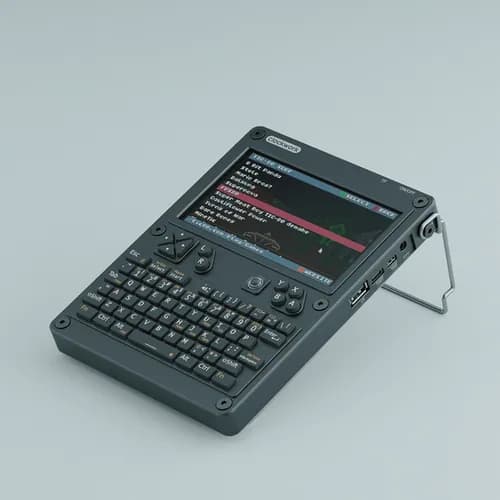
uConsole CM4 Lite Kit
Kit-built modular handheld Linux computer with keyboard, 5-inch display, replaceable compute core and expansion access.
- Platform
- Raspberry Pi Compute Module 4, Linux · Linux
- Builds
- 02