uConsole Linux kernel and system support
ClockworkPi's source repository provides kernel patches, hardware configuration and system files for uConsole variants.
View original project ↗What you’re building
ClockworkPi’s uConsole repository distributes first-party OS images and hardware-support material for CM4, A06, and R01 uConsole variants, including kernel versions, checksums, keyboard firmware, schematics, and image-building wiki pages. For the CM4 kit represented in Flashable, writing the matching image to removable storage produces a handheld Linux environment configured for the uConsole display, keyboard, and board hardware. The repository also provides a separate DFU-based keyboard updater for A06 or CM4 units. The important constraint is variant matching: CM4, A06, and R01 images are not interchangeable, and the repository is not a single generic kernel build recipe. Downloads must be decompressed and checksum-checked before flashing; replacing the storage image erases its existing contents.
Key steps
- Identify whether the assembled uConsole uses CM4, A06, or R01 and select only the corresponding official image.
- Download and decompress the image, then compare its MD5 checksum with the value published in the repository.
- Write the image to microSD with Etcher on macOS or Windows, or dd on Linux, accepting that the card will be erased.
- Insert the card, boot uConsole, and verify its display, keyboard, networking, and reported kernel version.
- If keyboard firmware requires updating, install dfu-util, extract the repository’s keyboard flash archive, and run its flash script on a supported Linux host.
Original project and code
Hardware for this project
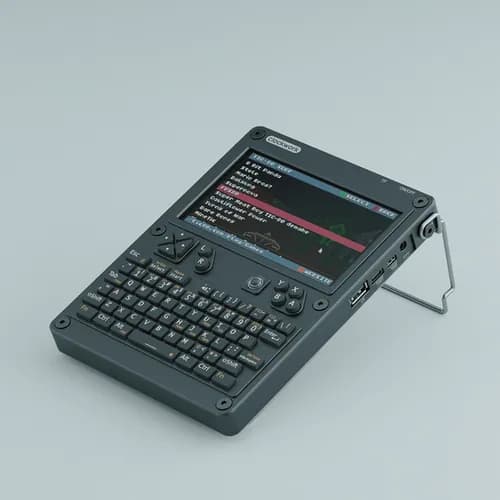
uConsole CM4 Lite Kit
Kit-built modular handheld Linux computer with keyboard, 5-inch display, replaceable compute core and expansion access.
- Platform
- Raspberry Pi Compute Module 4, Linux · Linux
- Builds
- 02