InfiniTime smartwatch firmware
Community firmware provides watch faces, notifications, health tracking and device settings for PineTime.
View original project ↗What you’re building
InfiniTime is GPL-licensed C++ firmware for PineTime and related explicitly supported targets, built with FreeRTOS, LVGL, and NimBLE. On PineTime it supplies watch faces, apps, notifications through companion software, settings, health-oriented sensors, and Bluetooth services. Most users install a release DFU over Bluetooth with a compatible companion such as Gadgetbridge, InfiniLink, Amazfish, Siglo, ITD, WatchMate, or a Web BLE browser; developers can build with ARM GCC, Nordic SDK 15.3.0, CMake, and optional DFU tooling. The expected result is a usable open-source smartwatch interface replacing or updating the existing firmware. Updates must be manually validated on the watch or a later reset reverts them, while resource bundles for newer apps and faces are flashed separately from the 512 KB firmware image.
Key steps
- Check the currently installed InfiniTime and bootloader versions from the watch’s About screen.
- Download the desired pinetime-mcuboot-app-dfu release ZIP and, when needed, its matching resource ZIP from the project releases.
- Pair with a supported companion application and use that app’s firmware-update workflow to send the DFU package.
- After the watch boots the new firmware, open Settings, select Firmware, and manually validate the running image.
- Transfer the matching resource package separately when the selected release’s apps or watch faces use external flash assets.
Original project and code
Hardware for this project
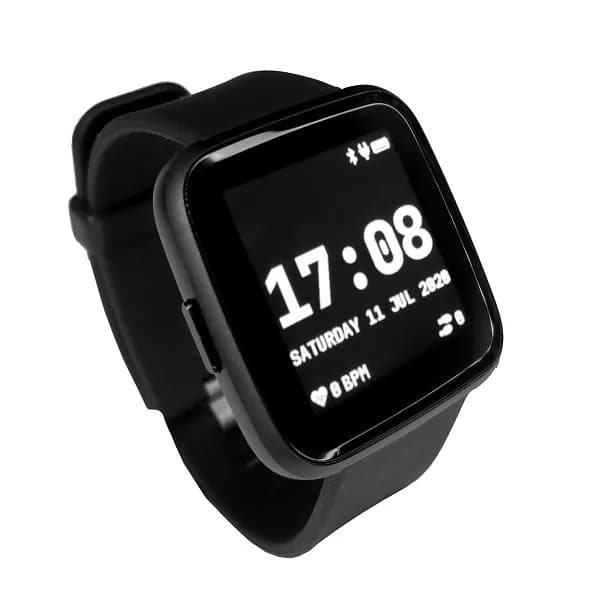
PineTime
Low-cost open-source smartwatch with an nRF52832, color touchscreen, Bluetooth LE, heart-rate sensor and accelerometer.
- Platform
- Nordic nRF52832, InfiniTime/Zephyr-compatible embedded firmware
- Builds
- 02